Hyundai Sonata LF: SRSCM / SRS Control Module (SRSCM) Repair procedures
| 1. |
Remove the ignition key from the vehicle. |
| 2. |
Disconnect the battery negative cable and wait for at least three minutes before beginning work. |
| 3. |
Remove the floor console.
(Refer to Body - "Floor Console Assembly") |
| 4. |
Pull up the lock (C), of the SRSCM connector, then disconnect the connector (A and B). 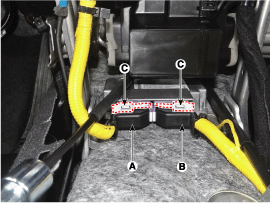
|
| 5. |
Remove the SRSCM mounting bolt and nuts from the SRSCM, then remove the SRSCM. |
| 1. |
Remove the ignition key from the vehicle. |
| 2. |
Disconnect the battery negative cable and wait for at least three minutes before beginning work. |
| 3. |
Install the SRSCM with the SRSCM mounting bolt and nuts.
Tightening torque
9.8 ~ 13.7 N.m (1.0 ~ 1.4 kgf.m, 7.2 ~ 10.1 lb-ft)
|
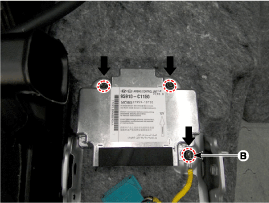
|
Use new mounting bolts when replacing the SRSCM after a collision.
When installing the SRSCM bolt, install the ground wire (B) with a bolt as indicated above picture. |
|
| 4. |
Connect the SRSCM harness connector. |
| 5. |
Install the heater ducts and floor console.
(Refer to Body - "Floor Console Assembly") |
| 6. |
Reconnect the battery negative cable. |
| 7. |
After installing the SRSCM, confirm proper system operation :
| A. |
Turn the ignition switch ON; the SRS indicator light should be turned on for about six seconds and then turns off. |
|
After replacing the SRSCM with a new one, the "Variant Coding" procedure must be performed.
| 1. |
On SRSCM variant coding mode, the airbag warning lamp
periodically blinks (ON: 0.5sec., OFF: 0.5sec.) until the coding is
normally completed. |
| 2. |
If the variant coding fails, DTC B1762 (ACU Coding Error) will be displayed and the warning lamp will turn on.
In this case, perform the variant coding procedure again after confirming the cause in "DTC Fault State Information".
Variant Coding can be performed up to 255 times, but if the
number of coding work exceeds 255 times, DTC B1683 (Exceed Maximum
coding Number) will be displayed and SRSCM must be replaced. |
| 3. |
If the battery voltage is low (less than 9V), DTC B1102 will
be displayed. In this case, charge the battery before anything else,
and then perform the variant coding procedure.
DTC B1762 (ACU Coding Error) and B1102 (Battery Voltage Low) may be displayed simultaneously. |
|
Variant Coding Procedure
| ?nbsp; On-Line Type on GDS |
| 1. |
Turn the ignition switch OFF. |
| 3. |
Turn the ignition switch ON without the engine running. |
| 4. |
Select vehicle name and airbag system. |
| 5. |
Select variant coding mode. |
| 6. |
Follow the steps on the screen below.
| (1) |
Initial ACU Variant Coding screen 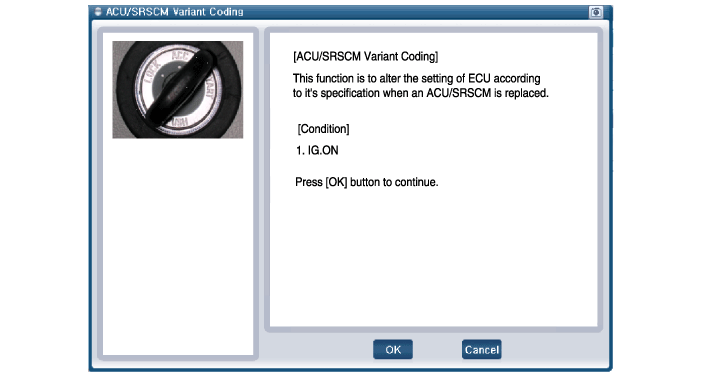
|
| (2) |
VIN Code entering screen 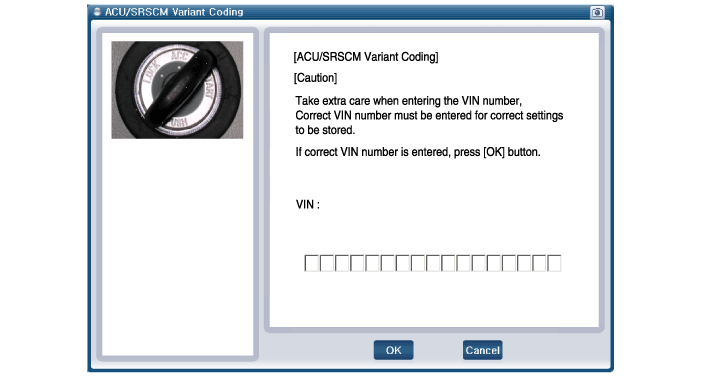
|
| (3) |
Variant Coding's proceeding screen-1 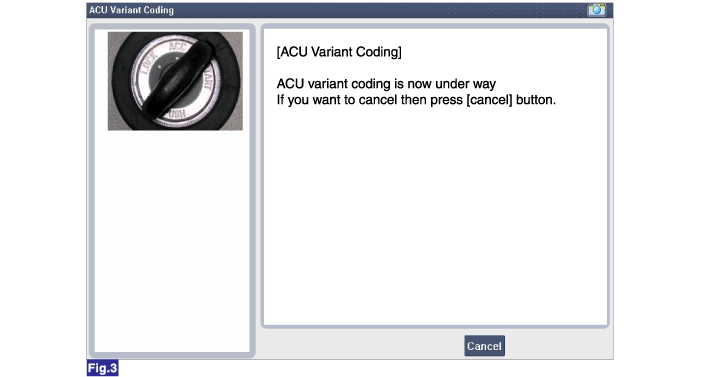
|
| (4) |
Variant Coding's proceeding screen-2 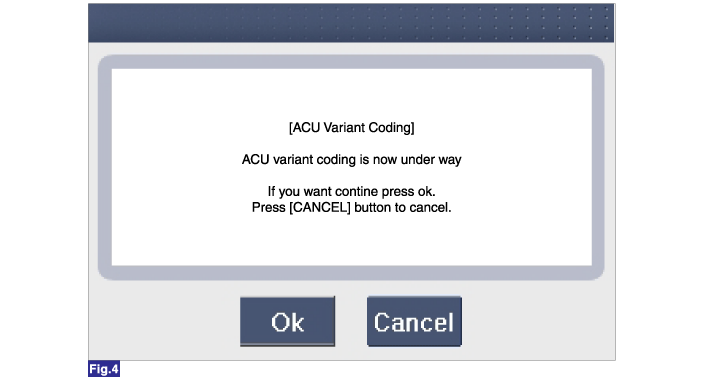
|
| (5) |
Variant Coding is completed 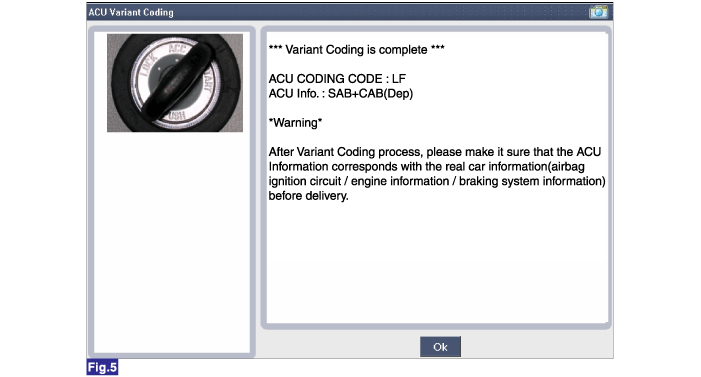
|
|
| 1. |
This screen is shown when you try variant coding on the SRSCM which has been performed before. 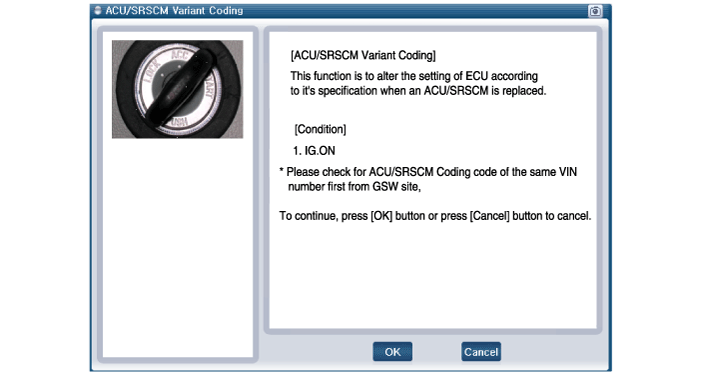
|
| 2. |
This screen is shown when communication failure has occurred. 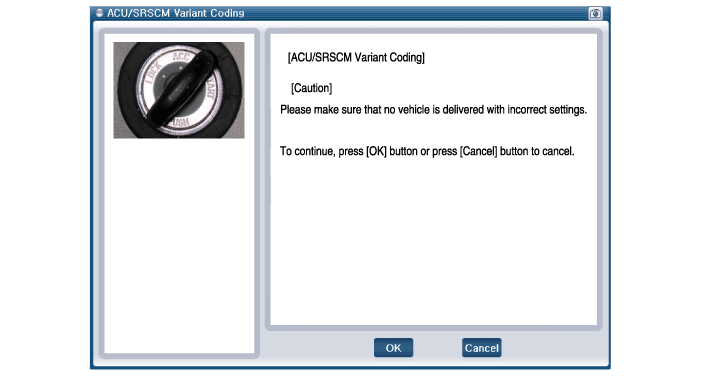
|
|
?nbsp; Off-Line Type on GDS (Use when not connected to the internet)
| 1. |
Turn the ignition switch OFF. |
| 3. |
Turn the ignition switch ON without the engine running. |
| 4. |
Select vehicle name and airbag system. |
| 5. |
Select variant coding mode. |
| 6. |
Follow the steps on the screen below.
| (1) |
Initial ACU Variant Coding screen 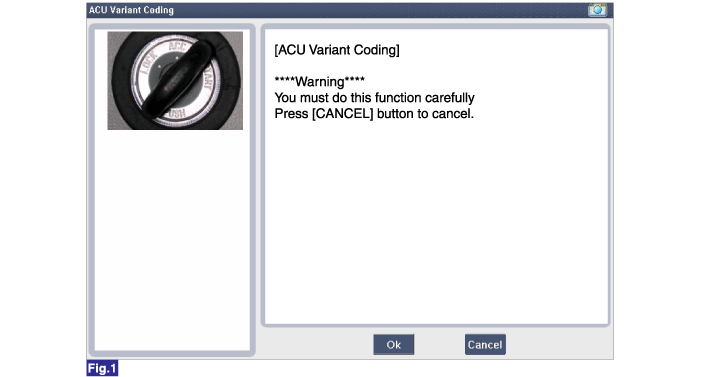
|
| (2) |
ACU Coding Code entering screen 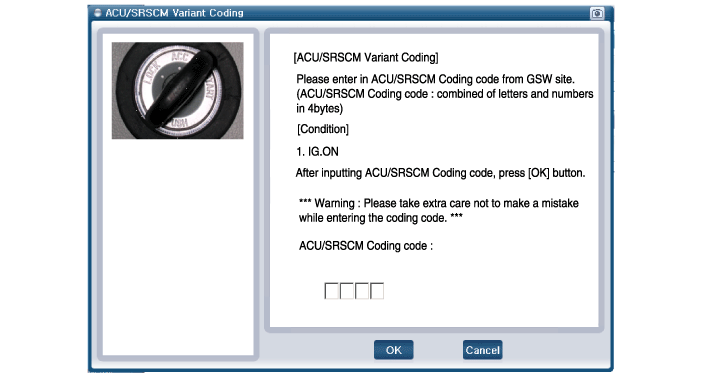
|
| (3) |
Rechecking ACU Coding Code entering screen 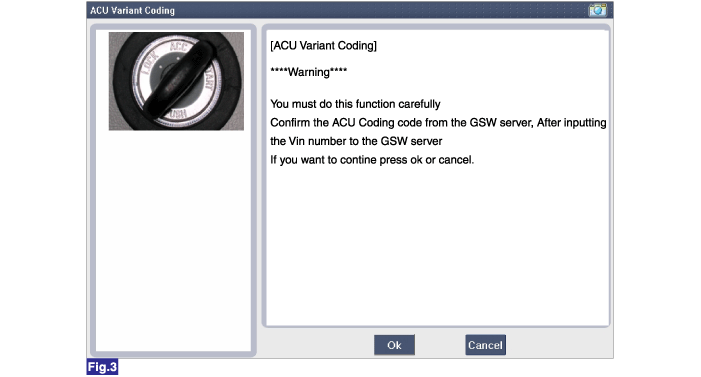
|
| (4) |
Variant Coding's proceeding screen-1 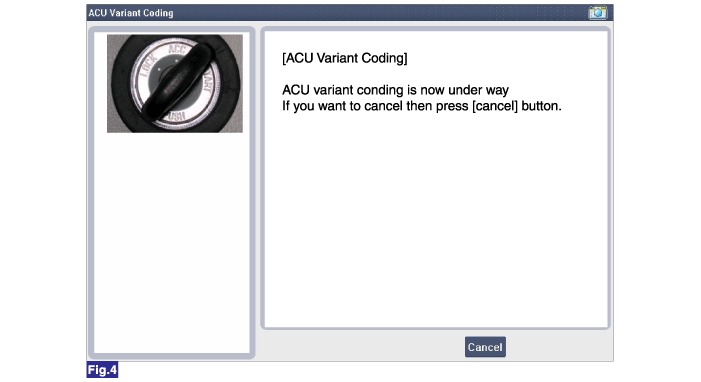
|
| (5) |
Variant Coding's proceeding screen-2 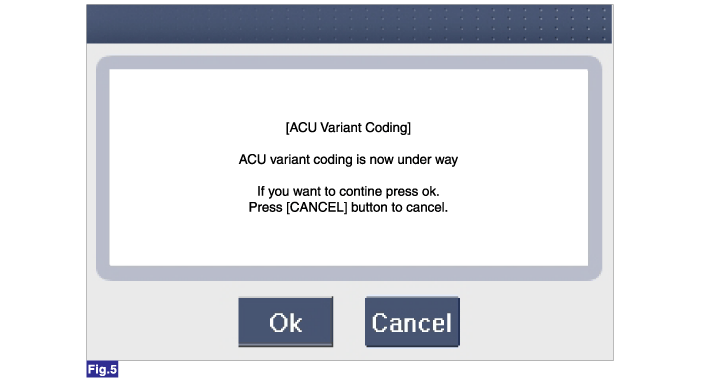
|
| (6) |
Variant Coding is completed 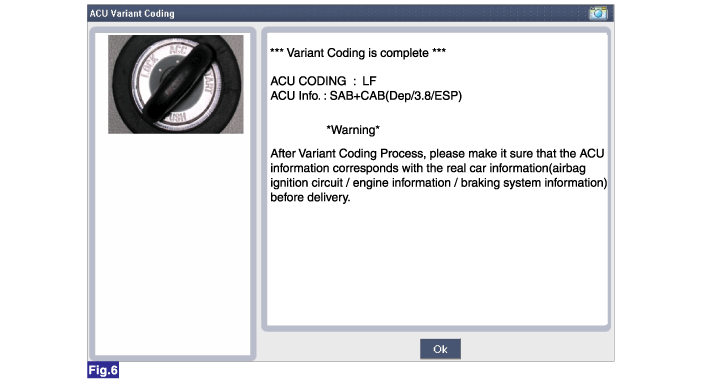
| 1. |
This screen is shown when you try variant coding on the SRSCM which has been performed before. 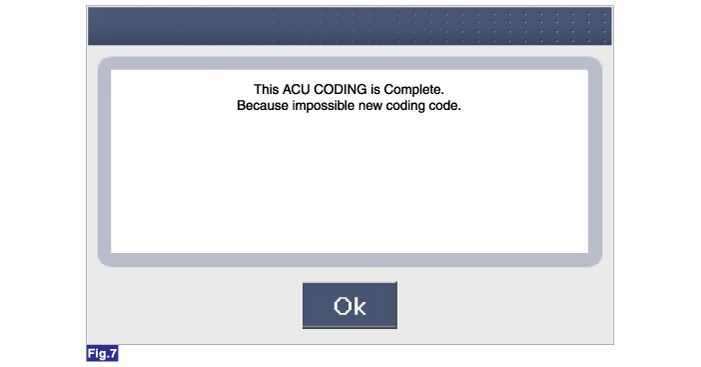
|
|
|
|
Description
The front impact sensor (FIS) is installed in the Front End
Module (FEM). They are remote sensors that detect acceleration due to a
collision at its mounting location...
Other information:
Removal
1.
Remove the fuel pump.
(Refer to Fuel Delivery System - "Fuel Pump")
2.
Disconnect the electric pump wiring connector (A), and the fuel sender connector (B).
3.
Remove the reservoir-cup after releasing the fixing hook (A).
4...
Removal
1.
Disconnect the negative (-) battery terminal.
2.
Remove the console upper cover.
(Refer to Body - "Floor Console Assembly")
3.
Remove the rear curtain switch (A) after loosening the mounting screws.
Installation
1.
Install the switch assembly in the console upper cover...



 Front Impact Sensor (FIS) Description and Operation