
Hyundai Sonata LF: Blind Spot Detection system / Blind Spot Detection Indicator Repair procedures
Hyundai Sonata LF 2014-2019 Service Manual / Body Electrical System / Blind Spot Detection system / Blind Spot Detection Indicator Repair procedures
| Removal |
Blind Spot Detection Warnig Indicator
| 1. |
Disconnect the negative (-) battery terminal. |
| 2. |
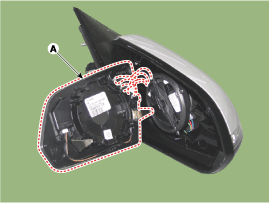
Remove the mirro (A).
|
| Installation |
Blind Spot Detection Warnig Indicator
| 1. |
Install the outside mirror. |
| 2. |
Connect the negative (-) battery terminal. |
| Inspection |
Diagnosis with GDS
| 1. |
The wiring harness system on the body can check the failed parts more rapidly with tester for the vehicle (GDS).
The tester (GDS) provides the following information.
|
| 2. |
Select the 'Car model' and the system to be checked in order to check the vehicle with the tester. |
| 3. |
Select the module to be checked after selecting BCM.
|

| 4. |
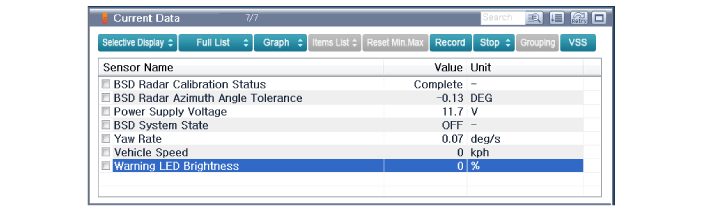
Select the 'Input/Output Monitoring" menu to search the current state of the input/output data.
The input/output data for the sensors corresponding to BSD warning indicator can be checked.
|
| 5. |
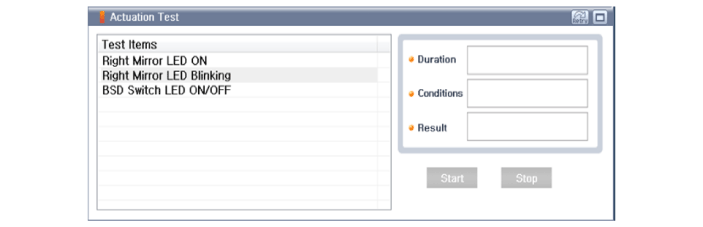
If you will check the BSD warning indicator LED or switch forcefully, select "Actuation Test".
|
| 6. |
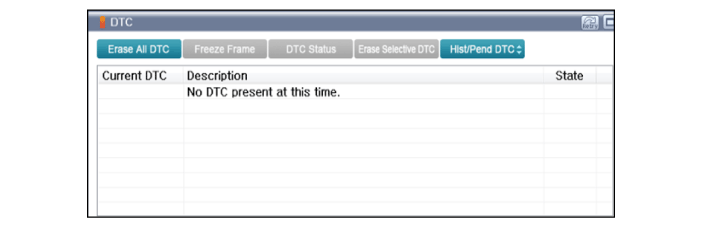
To check the DTC of the Blind Spot Detection (BSD), select "Diagnostic Trouble Codes"
|


Other information:
Hyundai Sonata LF 2014-2019 Service Manual: Engine And Transmission Assembly Repair procedures
Removal 1. Remove the engine cover. 2. Remove the battery and battery tray. (Refer to Engine Electrical System - "Battery") 3. Remove the air duct and air cleaner assembly. (Refer to Intake and Exhaust System - "Air Cleaner") 4. Remove the engine room under cover...
Hyundai Sonata LF 2014-2019 Service Manual: Components and Components Location
C..
Categories
- Manuals Home
- Hyundai Sonata Owners Manual
- Hyundai Sonata Service Manual
- Transmission Gear Oil General Information
- Body (Interior and Exterior)
- Cooling System
- New on site
- Most important about car

Copyright В© 2026 www.hsonatalf.org